Every customer in one thread, quotes by voice, follow-ups in your name, and the shop's whole month on one board. Here's what it looks like inside.
Real screens from the app, filled in with a demo shop.
From your number to the month's numbers.
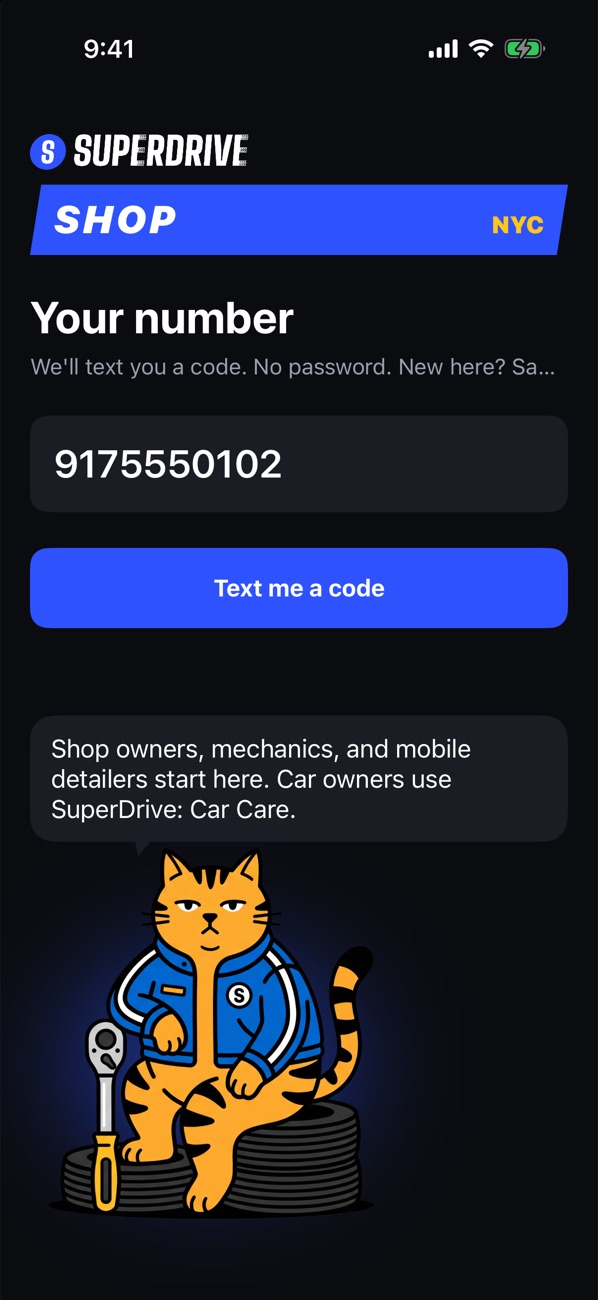
Sign in with your number
No password. SuperDrive texts you a code. A new number picks what it is, and you're set up in a couple of minutes.
- Shop owner: name the shop, its kind, and its bays
- "I work at a shop": ask to join, and the owner says yes on the Board
- Mobile detailer: your ZIP, how far you drive, and your menu
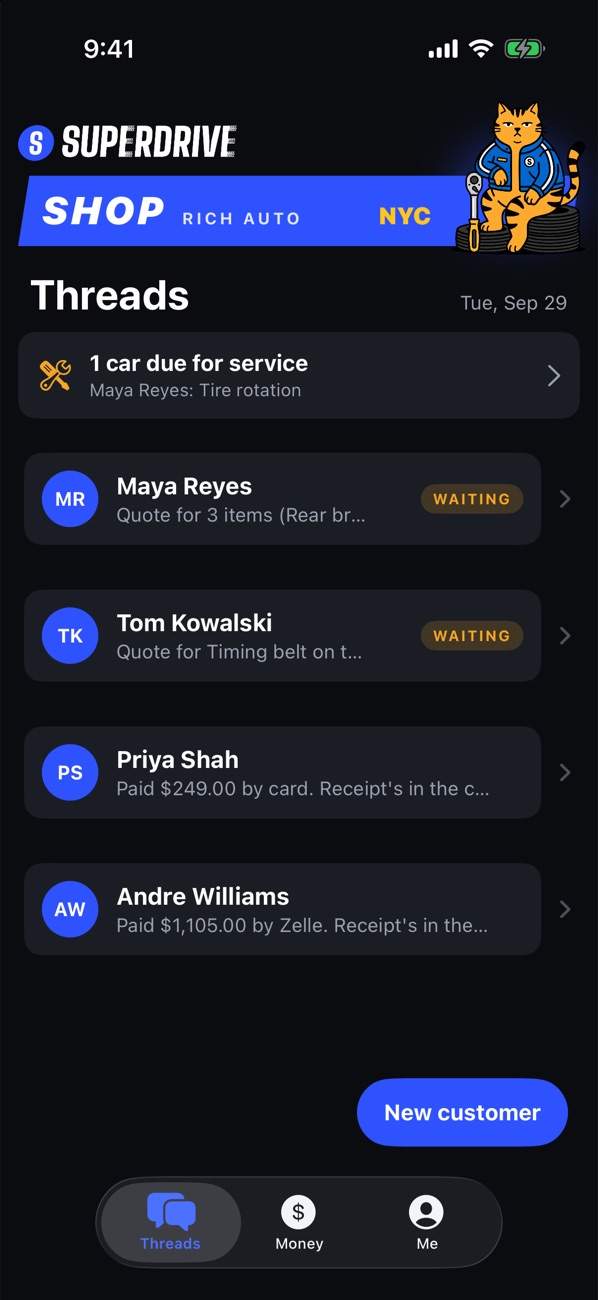
Every customer, one thread
One thread per customer, with the car under every card. Quotes waiting on an answer are tagged, and "due for service" shows whose car is coming due.
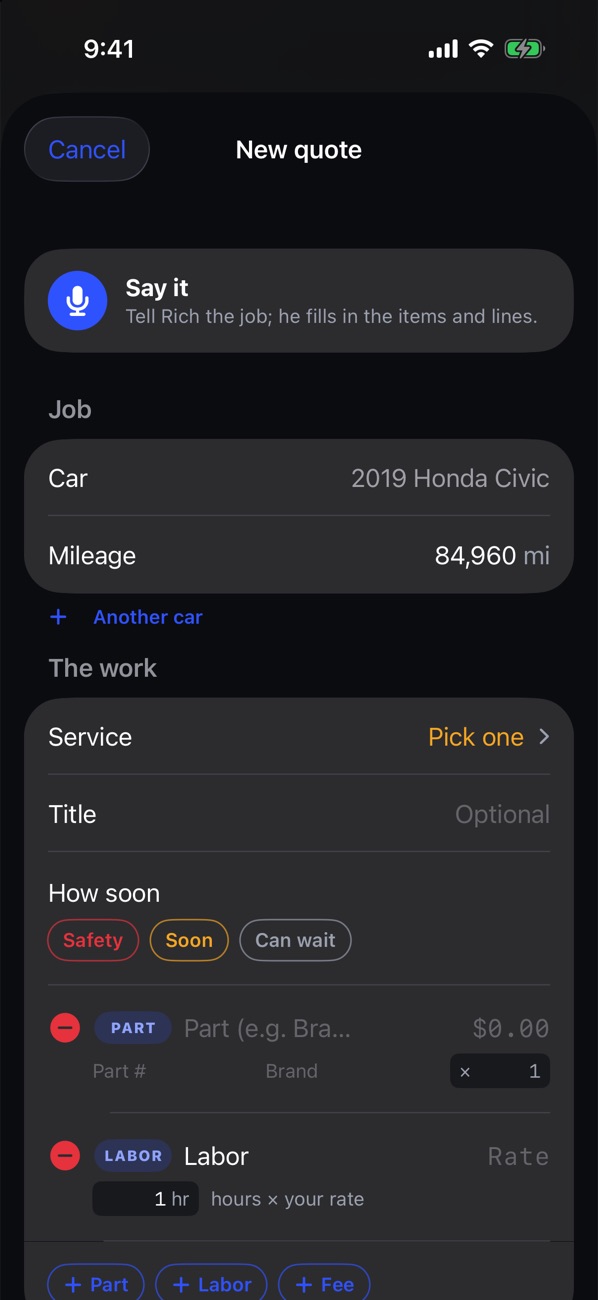
Say the job. Rich writes it up.
Tap "Say it" and talk through the job from the bay. Rich fills in the items and lines, then you check them and send.
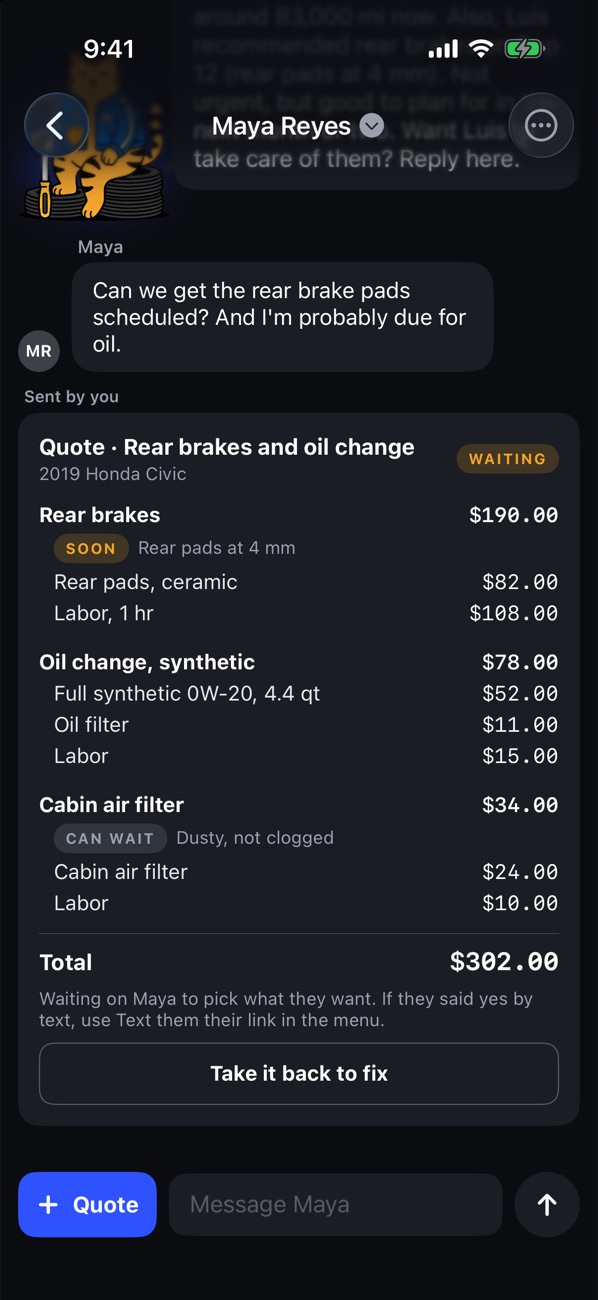
- Mark each item Safety, Soon, or Can wait, with your reason
- Your price book fills in your last price. We never suggest one.
- Parts, labor, and fees, line by line
The customer picks, item by item
The quote lands in their SuperDrive: Car Care app. They approve what they want today. Anything they pass on stays on the car as recommended, and a change order works the same way.
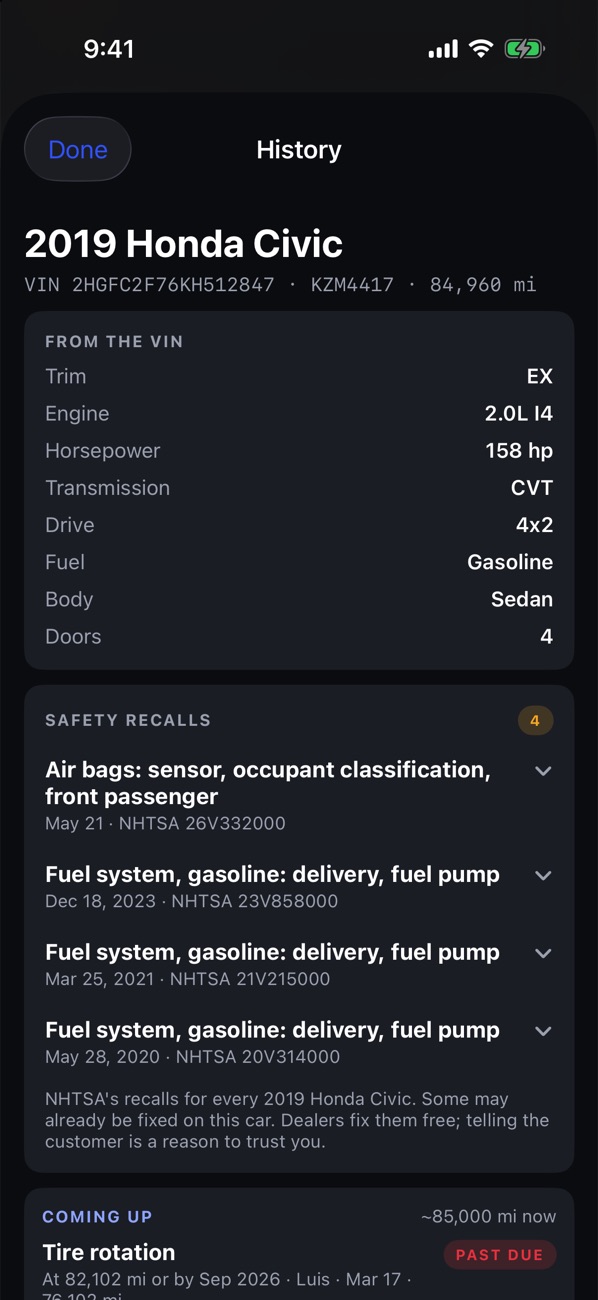
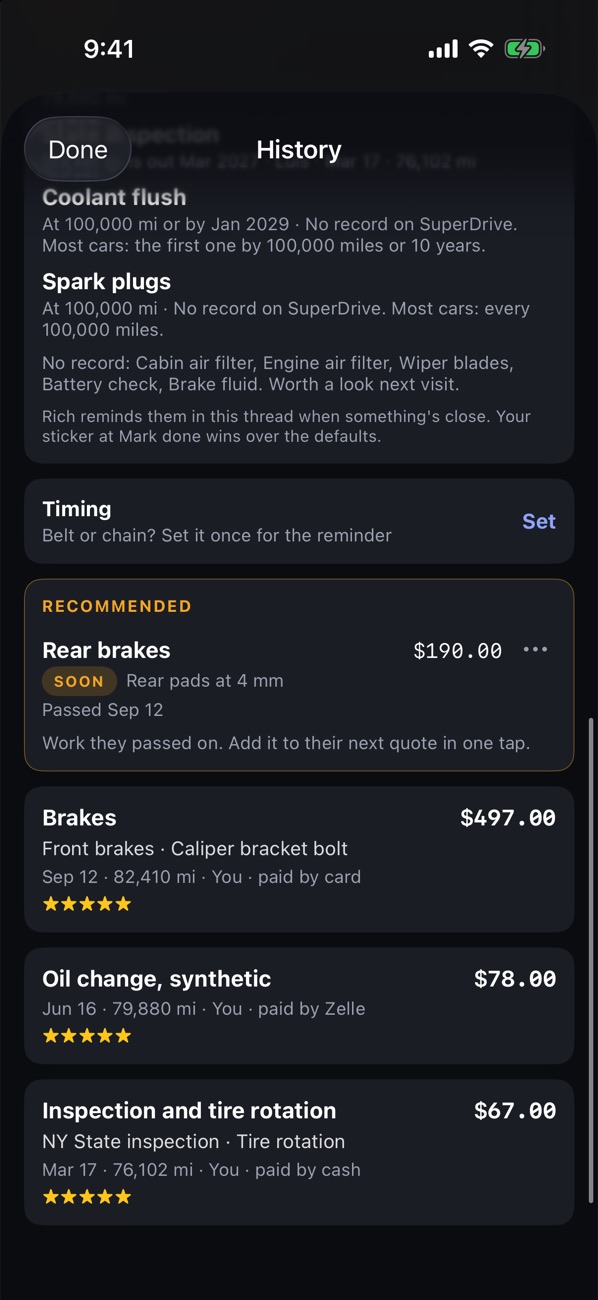
The car's whole record
Tap the car at the top of any thread. The VIN fills in the exact car, and SuperDrive shows its NHTSA recalls, what's coming up, work that's recommended, and every job with its rating.
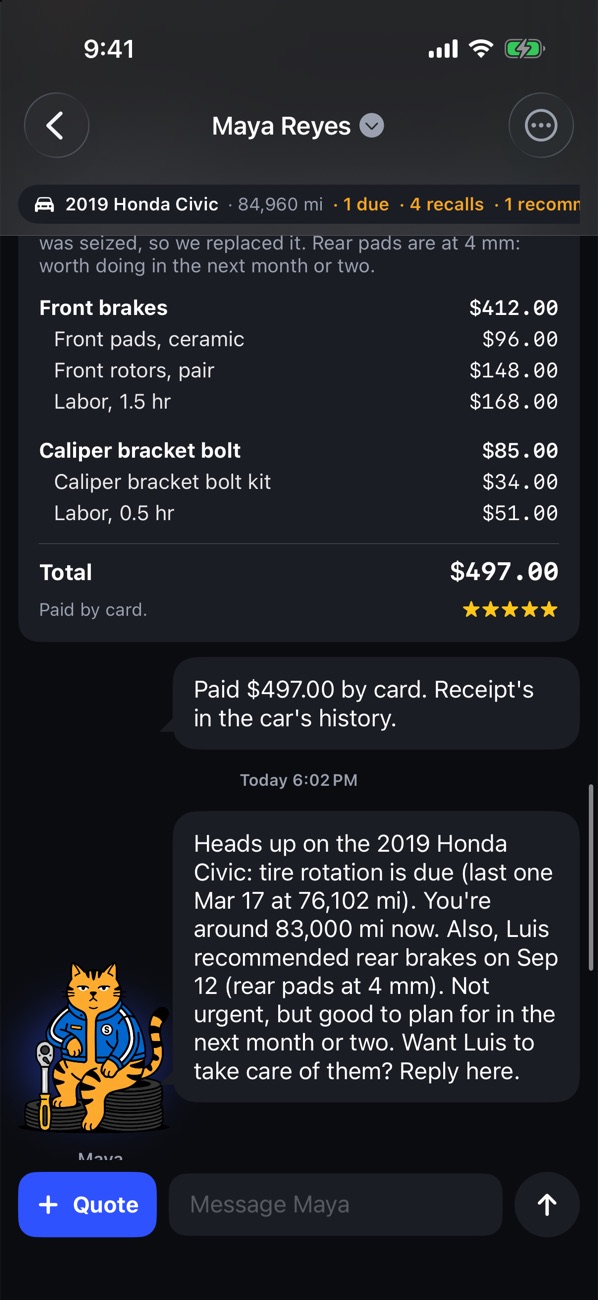
Rich follows up in your name
Service reminders and follow-ups on passed work go out in your thread, timed by how soon you said it matters. When the customer answers, it's a message to you.
Money, and Cash out
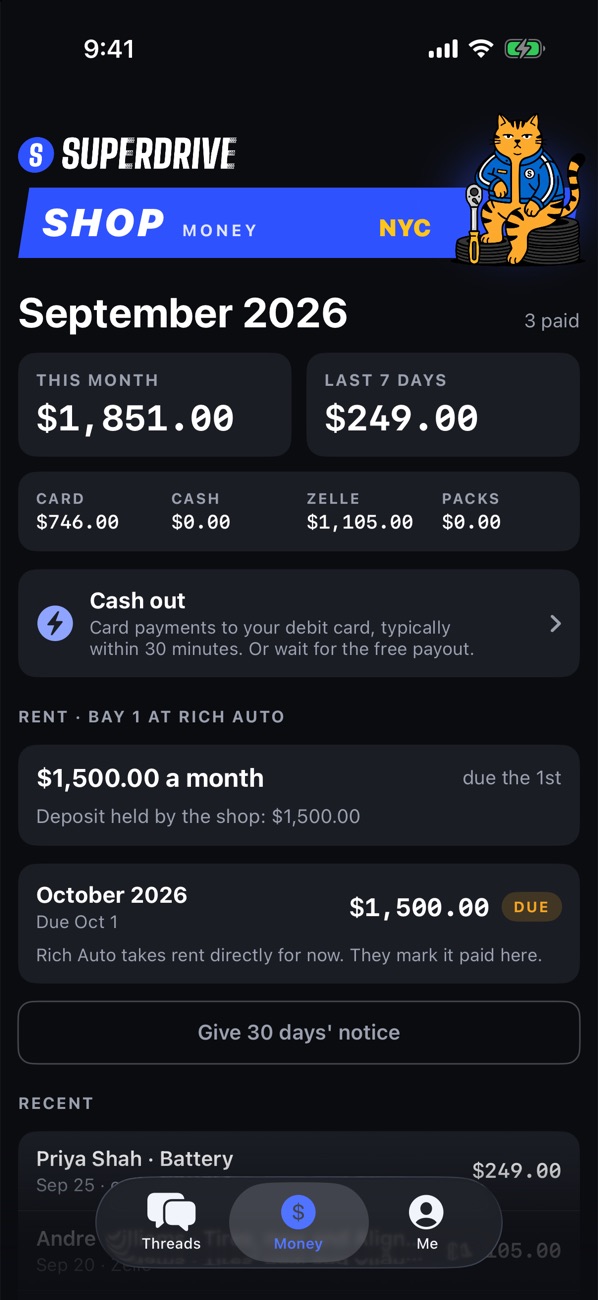
The month by card, cash, Zelle, and packs. Card money goes to your bank in the free daily payout, or to your debit card in minutes with Cash out for 1.5%. Renters see their rent here too.
The owner's Board
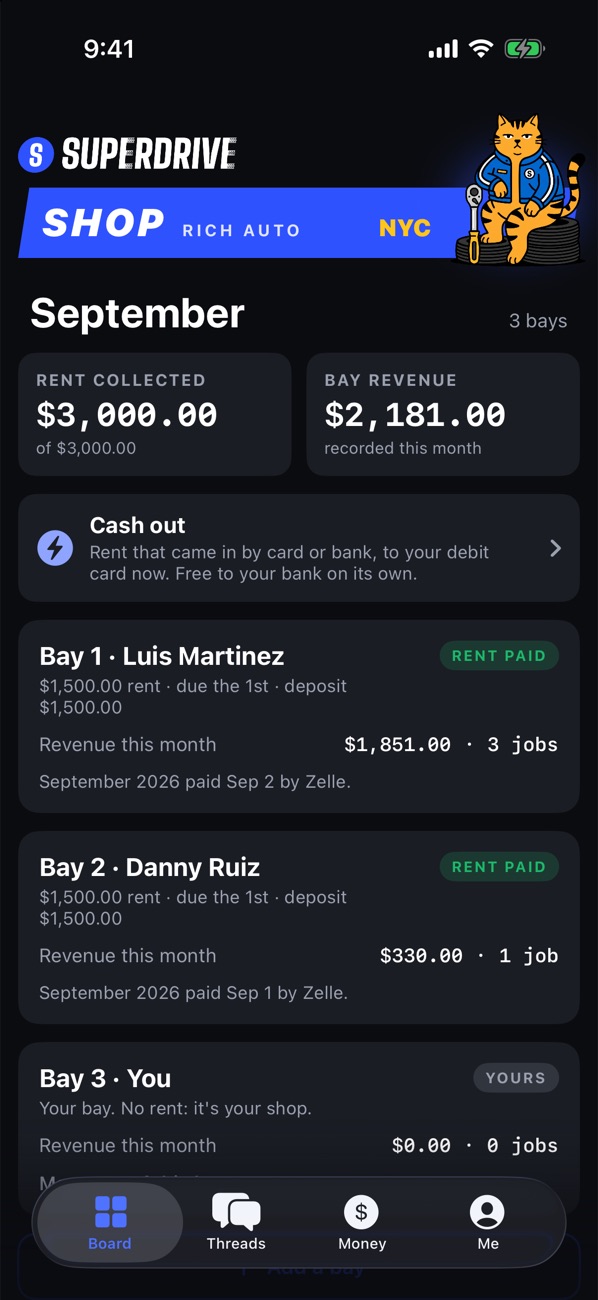
Every bay on one screen: who's in it, rent paid or due, and what each bay brought in this month. You see totals, never your renters' customers or line items. Your own bay pays no rent.
Running a team instead? The Board shows jobs by stage and who's on each one.
SuperDrive Shop
The pro's side of every job.

SuperDrive: Car Care
See their side of the thread →